
PDS_JP2
|
|
PDS_JP2
|
#include "Dimensions.hh"#include "PDS_Converters.hh"#include "JP2_Decoder.hh"#include "Files.hh"#include "endian.hh"#include <iostream>#include <iomanip>#include <cstdlib>#include <fstream>#include <sstream>#include <cctype>#include <string>#include <cstring>#include <vector>#include <utility>#include <stdexcept>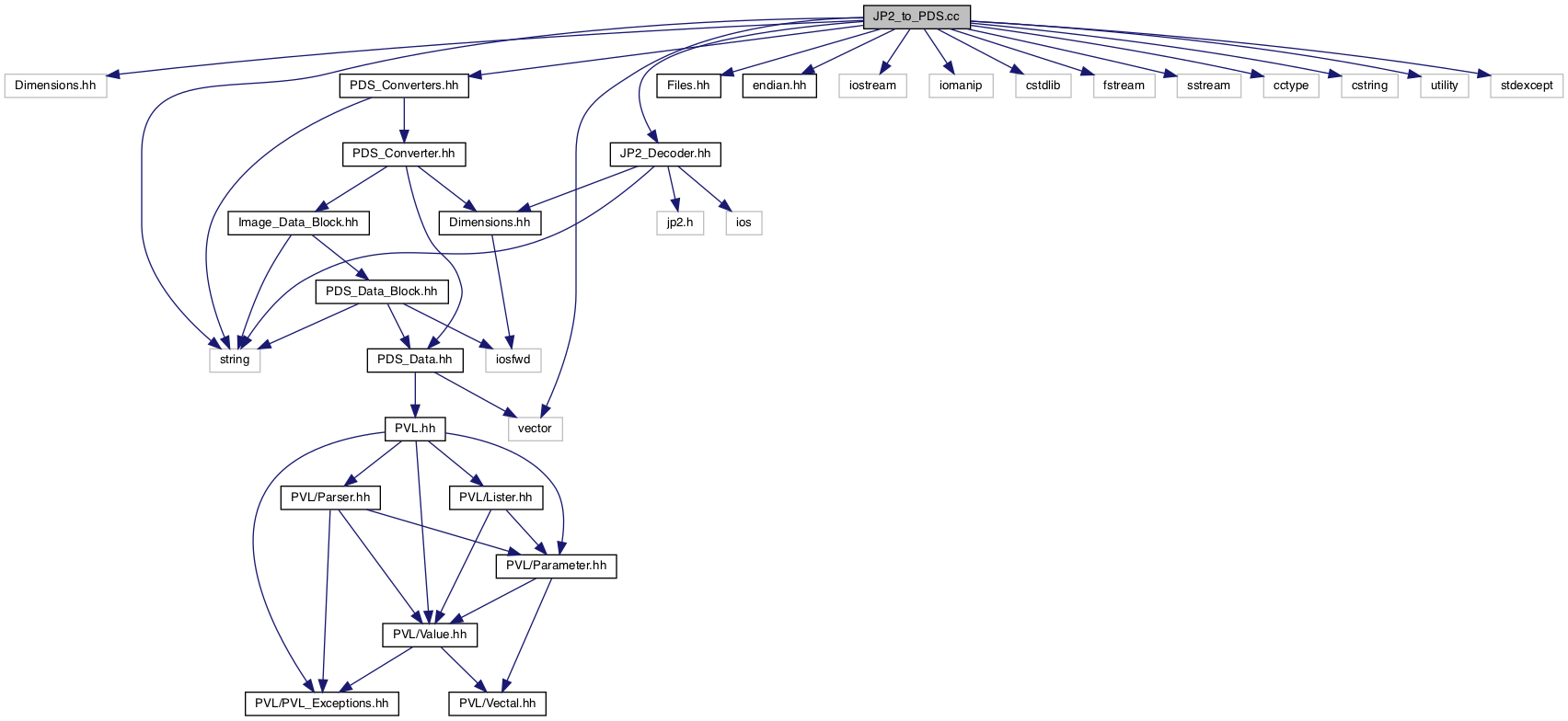
Macros | |
| #define | _VERSION_ " " |
| #define | FILESYSTEM_PATHNAME_DELIMITER '/' |
Functions | |
| void | usage (int exit_status=BAD_SYNTAX, bool list_descriptions=false) |
| JP2_to_PDS command line syntax and usage. More... | |
| int | main (int argument_count, char **arguments) |
| JP2_to_PDS application. More... | |
Variables | |
| const char *const | JP2_EXTENSION = ".JP2" |
| The default filename extension for the JPEG2000 JP2 file. More... | |
| const char *const | LABEL_EXTENSION = ".LBL" |
| The default filename extension for the PDS/JP2 label file. More... | |
| const char *const | PDS_IMAGE_EXTENSION = ".IMG" |
| The default filename extension for the PDS file. More... | |
| const int | DEFAULT_DATA_ORDER = 1 |
| The default data order if it can't be determined from the source. More... | |
| const int | SUCCESS = 0 |
| Exit status values. More... | |
| const int | BAD_SYNTAX = 1 |
| const int | INVALID_ARGUMENT = 11 |
| const int | PDS_LABEL_ERROR = 12 |
| const int | NO_IMAGE_DATA = 13 |
| const int | LABEL_INCONSISTENCY = 14 |
| const int | LOGIC_ERROR = 19 |
| const int | NO_INPUT_FILE = 20 |
| const int | EXISTING_OUTPUT_FILE = 21 |
| const int | IO_FAILURE = 29 |
| const int | PVL_ERROR = 30 |
| const int | DECODER_ERROR = JP2_Decoder::DECODER_EXCEPTION |
| const int | UNKNOWN_ERROR = -1 |
| const char * | ID |
| Application identification name with source code version and date. More... | |
| const char * | SOFTWARE_NAME_PARAMETER = "SOFTWARE_NAME" |
| The label parameter to have its value set to the ID. More... | |
| char * | Program_Name |
| The runtime command name. More... | |
| const char | PATHNAME_DELIMITER = FILESYSTEM_PATHNAME_DELIMITER |
| Host filesystem pathname delimiter. More... | |
| const int | LABEL_WIDTH = 24 |
| Listing format widths. More... | |
| const int | VALUE_WIDTH = 9 |
| #define _VERSION_ " " |
| #define FILESYSTEM_PATHNAME_DELIMITER '/' |
| void usage | ( | int | exit_status = BAD_SYNTAX, |
| bool | list_descriptions = false |
||
| ) |
JP2_to_PDS command line syntax and usage.
JP2_to_PDS [Options] [-Input | -Jp2] <pathname>
The pathname of the input JP2 file.
Default: The PDS label file pathname with a JP2_EXTENSION.
The pathname of the input PDS label file.
Default: The JP2 source PDS label URL if present or the input JP2 pathname with a LABEL_EXTENSION.
The pathname of the output PDS file.
Default: The input JP2 file pathname with a PDS_IMAGE_EXTENSION.
No ouput file will be written. The input files will be examined and prepared for conversion with all the reports listed. This is a convenient way to see the source file structure and check that the expected output will be produced without having to process the files.
Default: Output is produced.
If the output file already exists, it will be overwritten.
Default: Do not overwrite an existing file.
An area of the image to be selected for decompression. The area is specified relative to the image at full resolution, before any resolution level selection size reduction is applied. If the area selected extends beyond the width (x) or height (y) of the image size the area is clipped to corresponding limit. If the origin of the area falls outside the image boundaries no output will be generated; an empty image will not be produced.
Default: The entire image.
The JPEG2000 codestream may provide access to the image at multiple resolution levels. The image is always available at full resolution; level 1. The next level is half resolution, then half of that, etc.; i.e. the effective image size at resolution level L is the full resolution size divided by 2**(L-1). If the selected resolution level is greater than the number of resolution levels available in the JP2 source codestream the image will be rendered at the smallest size.
Default: Full resolution level 1.
Normally the image data values are treated as MSB or LSB ordered based on information from the source PDS label file: If the SAMPLE_TYPE parameter is present and its value contains the "MSB" string, the image data is treated as MSB ordered; if the value contains the "LSB" string the data is treated as LSB ordered. This option determines the effective byte order of multi-byte image data values regardless of the PDS label parameter value.
Default: Pixel data of unknown data order is MSB.
Prints this usage description.
| exit_status | This method always result in program exit. If the exit status value is not specified the BAD_SYNTAX value will be used. |
| list_descriptions | If true, long option descriptions will be listed; otherwise only the brief option syntax is listed. |
References DEFAULT_DATA_ORDER, JP2_EXTENSION, LABEL_EXTENSION, PDS_IMAGE_EXTENSION, and Program_Name.
Referenced by main().
| int main | ( | int | argument_count, |
| char ** | arguments | ||
| ) |
JP2_to_PDS application.
Converts a JP2 image data file with a detached PDS label file to a PDS image file having a label attached to uncompressed image data.
An input JP2 file and associated PDS label file are required. If only a -Label pathname is provided it is used to determine the JP2 file pathname by replacing the extension, if any, with the JP2_EXTENSION. If the -Label pathname is not specified it is determined from the JP2 PDS label URL. If no URL is found the label file pathname is determined by replacing the JP2 file pathname extension, if any, with the LABEL_EXTENSION. If no -Output pathname for the PDS file is specified it is determined by replacing the JP2 pathname extension, if any, with the PDS_IMAGE_EXTENSION. If a file at the output pathname exists and the -Force option has not been specified the program will exit (with EXISTING_OUTPUT_FILE status); a warning will be provided in this case if the -Force option has been specified.
A report listing the input and output files, the image data specifications, the JP2 data producer signature if present, the selected image area and rendering resolution and resultant output image size will be written to stdout before the input files are processed to generate the output file.
A JP2_Decoder object is instantiated and opened on the input JP2 file. The JPEG2000 codestream is checked by the decoder to be sure it meets the requirment that all image data components (bands) are have the same size, pixel bits and data signedness; if they are not the same the program will exit with a LOGIC_ERROR status. The decoder is configured with the rendering -Resolution level and image -Area selection. This will result in the resolution level being limited to the maximum number of resolution levels present in the JP2 source, and the selected image area clipped to the image extent. If the selected image area is entirely outside the image boundaries the program will exit with a LOGIC_ERROR status.
A PDS_Converter object instantiated on the PDS label file is used to convert the input file PDS label to the new attached label. The selection of the appropriate PDS label converter is done by each registered PDS label converter examining the file's contents and deciding if it is suitable for handling the conversion; the first one to indicate that it is appropriate for the input file is used. Product specific converters are queried first until finally the {Generic_PDS_Converter} is tried. If the label converter is unable to locate a group of parameters in the label that describes the IMAGE data block the program will exit with a #PDS_LABEL_ERROR status. The JP2 decoder is then configured to reorder multi-byte pixels if it is found from the user specified order, the label converter or the default that the source image data order is not the same as the host system native data order. If the number of image bands and pixel bits obtained from the label converter does not match the values obtained from the JP2 decoder the program will exit with a #LABEL_INCONSISTENCY status. Inconsitency of image size will be reported with a warning, but the output PDS label will have the correct values set, which are set appropriately if an image region or less than full resolution rendering is selected in any case. A warning is also provided if the image data signedness from the PDS label does not match that from the JP2 file, but this has no effect on the output PDS label. Before the output file is generated a check is made that the host filesystem is capable of storing a file of the size to be produced. If it appears that it can not handle very large files the program will exit with an #IO_FAILURE status. Note: Before the PDS label converter is requested to write the new label file the SOFTWARE_NAME parameter in the label, if it exists, is updated with the application identification. The PDS label converter is informed of the selected image area and resolution and requested to write the converted label to the output file. Then the JP2 decoder is requested to appended the rendered image pixel data to this file. Exit status values:
| argument_count | The number of command line arguments. |
| arguments | The array of command line arguments. |
References Size_2D::area(), UA::HiRISE::converter_for(), JP2_Decoder::decode(), JP2_Decoder::decoder_error(), DECODER_ERROR, DEFAULT_DATA_ORDER, JP2_Decoder::destination(), EXISTING_OUTPUT_FILE, PIRL::file_basename(), PIRL::file_directory(), PIRL::file_exists(), PIRL::file_is_directory(), PIRL::file_is_readable(), PIRL::file_name(), PIRL::file_pathname(), PIRL::file_size(), Size_2D::Height, PIRL::high_endian_host(), PIRL::hostname(), ID, Image_Data_Block::image_bands(), JP2_Decoder::image_bands(), PDS_Converter::image_data(), PDS_Data::IMAGE_DATA_BLOCK_NAME, Image_Data_Block::image_height(), JP2_Decoder::image_height(), JP2_Decoder::image_region(), Image_Data_Block::image_width(), JP2_Decoder::image_width(), INVALID_ARGUMENT, IO_FAILURE, JP2_EXTENSION, LABEL_EXTENSION, LABEL_INCONSISTENCY, PDS_Converter::label_size(), LABEL_WIDTH, LOGIC_ERROR, Image_Data_Block::MSB_data(), NO_IMAGE_DATA, NO_INPUT_FILE, JP2_Decoder::open(), PDS_Data::parameter_value(), PDS_IMAGE_EXTENSION, PDS_LABEL_ERROR, Image_Data_Block::pixel_bits(), JP2_Decoder::pixel_bits(), Image_Data_Block::pixel_bytes(), JP2_Decoder::pixel_bytes(), JP2_Decoder::producer_UUID(), PDS_Converter::product_names(), Program_Name, PVL_ERROR, JP2_Decoder::rendered_height(), JP2_Decoder::rendered_width(), JP2_Decoder::resolution_level(), JP2_Decoder::resolution_levels(), Image_Data_Block::signed_data(), JP2_Decoder::signed_data(), SOFTWARE_NAME_PARAMETER, JP2_Decoder::source(), SUCCESS, PIRL::swap_bytes(), JP2_Decoder::swap_pixel_bytes(), UNKNOWN_ERROR, JP2_Decoder::URL(), usage(), UUID_SIZE, VALUE_WIDTH, Size_2D::Width, PDS_Converter::write_PDS_label(), Point_2D::X, and Point_2D::Y.
| const char* const JP2_EXTENSION = ".JP2" |
| const char* const LABEL_EXTENSION = ".LBL" |
| const char* const PDS_IMAGE_EXTENSION = ".IMG" |
| const int DEFAULT_DATA_ORDER = 1 |
| const int SUCCESS = 0 |
Exit status values.
Referenced by main().
| const int BAD_SYNTAX = 1 |
| const int INVALID_ARGUMENT = 11 |
Referenced by main().
| const int PDS_LABEL_ERROR = 12 |
Referenced by main().
| const int NO_IMAGE_DATA = 13 |
Referenced by main().
| const int LABEL_INCONSISTENCY = 14 |
Referenced by main().
| const int LOGIC_ERROR = 19 |
Referenced by main().
| const int NO_INPUT_FILE = 20 |
Referenced by main().
| const int EXISTING_OUTPUT_FILE = 21 |
Referenced by main().
| const int IO_FAILURE = 29 |
Referenced by main().
| const int PVL_ERROR = 30 |
Referenced by main().
| const int DECODER_ERROR = JP2_Decoder::DECODER_EXCEPTION |
Referenced by main().
| const int UNKNOWN_ERROR = -1 |
Referenced by main().
| const char* ID |
| const char* SOFTWARE_NAME_PARAMETER = "SOFTWARE_NAME" |
The label parameter to have its value set to the ID.
Referenced by main().
| const char PATHNAME_DELIMITER = FILESYSTEM_PATHNAME_DELIMITER |
Host filesystem pathname delimiter.
| const int LABEL_WIDTH = 24 |
Listing format widths.
Referenced by main().
| const int VALUE_WIDTH = 9 |
Referenced by main().
 1.9.1
1.9.1